Every door answers its own guests.
Right now, in every unit you manage, a guest is asking where to park. One link answers it — Wi-Fi, check-in, house rules and local picks researched for each exact address.
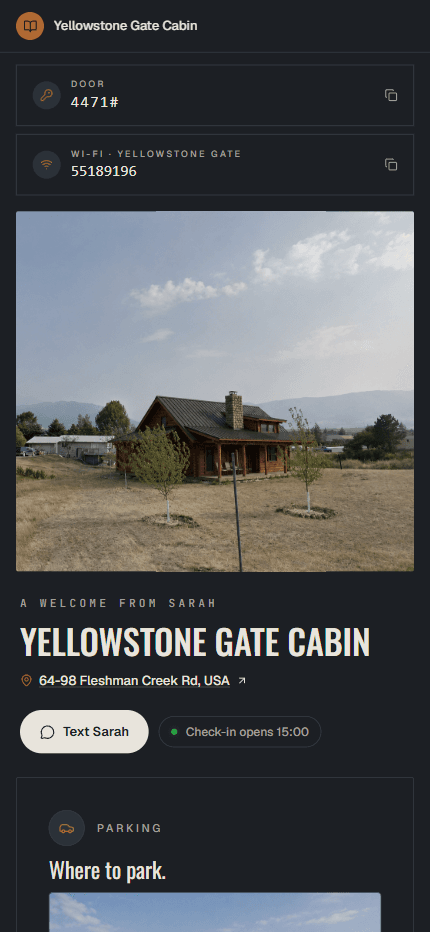
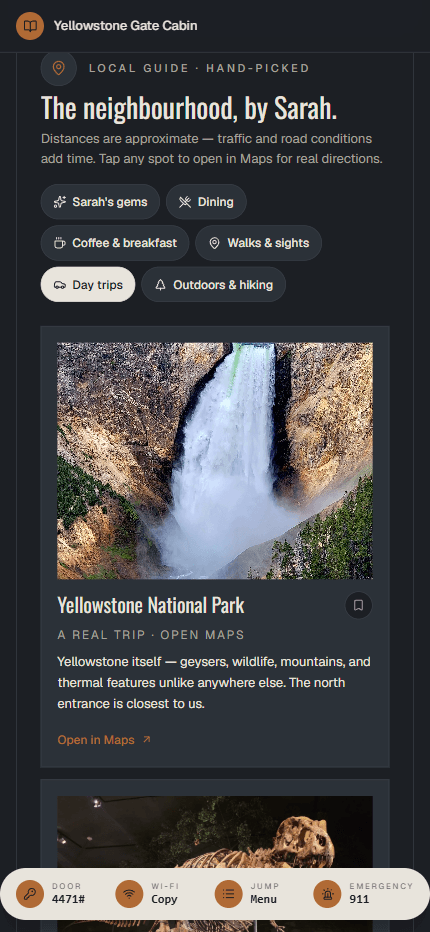
A real, live book — open it on your phone. Then build one of your own, free, before paying anything.
- No card to build
- $29 once per property
- Purchased Books need no subscription
Every stay, the same three messages — times every door.
At one property that's a nuisance. Across twenty doors, those repeated questions add up — taking time from your team, often outside working hours.
The book answers each one before it's asked — a QR to join the Wi-Fi, arrival photos and parking one tap from the cover, the door code and times already in the guest's hand.
Twenty doors. Twenty books. One afternoon.
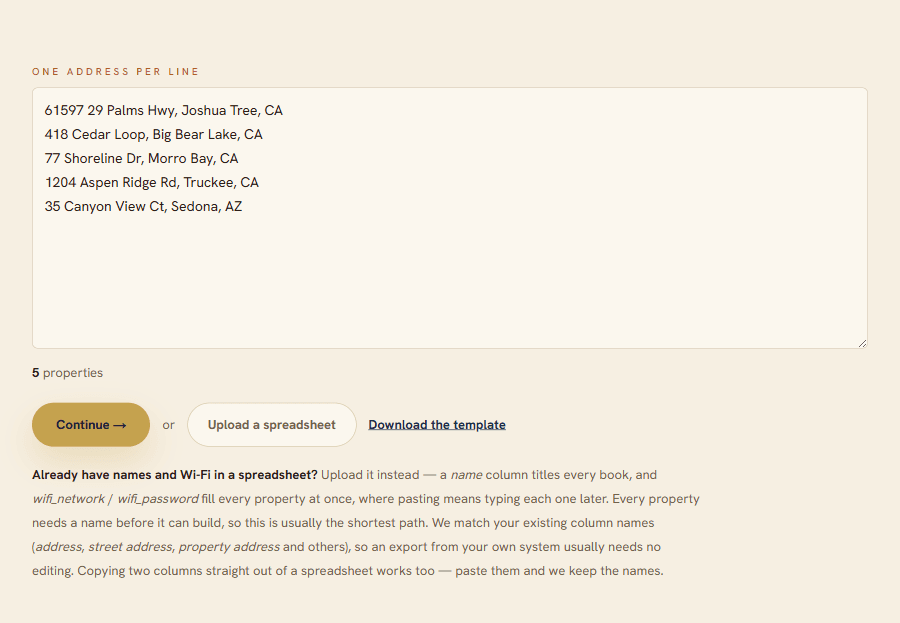
Set the quantity at checkout, then paste your addresses — or upload a spreadsheet. You answer what is the same across the portfolio once — check-in times, house rules, your contact details — and every book is built from there. Onboarding the next unit is one more line, not another project.
- Paste or upload
One address per line, or a CSV straight from your own system — we match your column names.
- Confirm the matches
Every address resolves before anything is built; you fix or drop the odd one out.
- Answer shared details once
Check-in times, rules, your contact — ticked onto the doors they apply to.
- The books generate
Each door gets its own researched guide; you approve the picks.
- Print every QR card at once
One page, every card in the batch — walk the stack to the properties.
One setup, not twenty forms
Check-in times, house rules, your contact details — answered once and ticked onto the properties they apply to.
Change them all at once, later
New number or cleaning company? Change it in one place and push it to every book.
Your brand on every book
Your name, colour and logo in the footer of all of them — what you send an owner looks like your business.
A link for your cleaner
They update codes and Wi-Fi without your login, and cannot touch anything else.
Twenty doors, over three years.
| Year 1 | By year 3 | If you stop paying | |
|---|---|---|---|
| Example: $20/property/year | $400 | $1,200 | Depends on the plan |
| Foreword | $580 | $580 | Nothing stops |
$580 once, not $580 a year. Hosting, unlimited edits and the printable QR cards are included, and every book keeps working whether or not you ever come back. Subscription figures are an illustrative comparison, not a competitor quote. Autopilot is separate and is not included in these Book totals.
Anyone can list restaurants. We give you the right ones.
A list of nearby places is only a starting point. Getting it right is the hard part — the hot spring worth the drive, the breakfast spot that runs out by eleven, the one place you'd actually tell a friend about. Not four versions of the same dinner and a chain coffee shop.
Foreword picks for your exact address, checks available place information when your Book is built, and gives each recommendation a reason to go. Review your picks before sharing.
A popular ski area offering a variety of runs for all skill levels, with beautiful mountain views.
Non-profit ski resort with 75 runs and a genuine community feel; worth a day trip in season or even off-season to scout trails.
See the whole book →An example of the detail to look for in your local guide.
Next: Portfolio + Autopilot.
Coming soonAdd a guest assistant and ongoing checks of supported local recommendations. Portfolio includes Books for your selected properties, from $35 a month. Not yet available to purchase. Your separately purchased Books do not require Autopilot.
- Books included
A mobile welcome book for each selected property, with details and local recommendations you can edit.
- Guest assistant
Answers from your Book. Unanswered questions direct guests to your contact details, without sending you a message.
- Monthly checks
Checks supported local recommendations for closures and changes. Coverage depends on available place data.
- Your review log
Confirmed permanent closures are hidden. Temporary closures and name changes are flagged; uncertain listings stay visible.
Not available yet — there's nothing to buy and nothing to cancel. This is what the list is for.
Portfolio + Autopilot
Planned pricing · Coming soon
$35 / month
USD · Books included for 10 properties
$35 minimum covers up to 10 properties.
View pricing tiers
- 1–10 properties: $35 / month
- 11–24 properties: $3.50 / property / month
- 25–100 properties: $3 / property / month
At 25 properties, the lower rate applies to every property: $84 for 24 becomes $75 for 25. Above 100, contact us.
Keep each included Book after its third full monthly payment.
Cancel earlier and unearned Books go offline when paid access ends; content is preserved. Separately purchased Books stay live and editable without Autopilot.
Tell us your property count and software for launch updates. Joining the list does not start a subscription.
Own the books. Don't rent them.
Three ways to give every door a guest book. Same job, very different invoices.
- Local recommendationsThe ones worth the drive, each with a reason to go
- Places already closedAvailable place-status information checked when your Book is built
- Cost over time$29 once per property — hosting and edits included
- If you stop payingNothing to stop. Your book stays online
How the alternatives compare
- Local recommendationsCheck whether research is included or you supply your own picks
- Places already closedCheck which places are monitored and how changes are handled
- Cost over timeCompare the total for your property count, including renewals
- If you stop payingCheck what happens to guest links, QR cards and editing access
- Local recommendationsCheck whether suggestions use your address and current place data
- Places already closedAsk whether place status is checked, not just descriptions generated
- Cost over timeCheck limits on free plans and the price for additional properties
- If you stop payingCheck the provider's hosting and cancellation terms
Pay once and it stays online — there's no subscription keeping it alive, so there's nothing to cancel and nothing to lose it to. The QR card you print today keeps working.
How it works
- 01
See a finished book
A real, live one — open it on your phone. Thirty seconds, nothing to fill in.
- 02
Build a book free
One of your own properties — the book designs itself beside you as you type. No card, no account.
- 03
Publish for $29
We research and write that property's local guide. You approve every pick, then share the link or print the QR card.
- 04
Add the rest
Paste your remaining addresses or upload a spreadsheet — the portfolio builds from there.
Own the book. Add the service later.
One payment per door for the books themselves — ready today, and the whole product for most managers. Autopilot, above, is the service that will run them — and the books never depend on it.
One door's book
One payment covers the book itself — hosting, self-serve edits, and your guest link for the life of the book. No recurring fee to keep it online. The guest assistant and monthly recommendation checks are separate Autopilot services, not included here.
- Interactive mobile welcome book
- Local picks worth the drive
- Photo or video check-in walkthrough
- Parking, door codes & arrival notes
- Scan-to-connect Wi-Fi QR
- Printable QR welcome card
- Self-serve edits — keep the same guest link
- 14-day money-back guarantee
Prefer to see it first? Build a book free →
Secure Stripe checkout. After payment, open your setup link and add your property details.
FAQ
I manage several properties — how does that work?
One checkout: set the quantity to however many doors you have. Then paste your addresses (or upload a spreadsheet) and answer the questions that are the same across the portfolio once — check-in times, house rules, your contact details — and every book is built from there. You can change any of those across all of them later, after seeing exactly what will change, and print the QR cards for the whole portfolio in one go.
Do I pay monthly?
No subscription is required for a Book bought for $29 per property. Hosting, self-serve edits, the guest link and printable QR card are included. Autopilot is a separate subscription planned for launch; it is not included in this purchase. Canceling Autopilot does not remove separately purchased Books.
Can my cleaner or VA update door codes without my login?
Yes. You can issue a staff link per book that opens only the fields you tick — door code and Wi-Fi, for example — and nothing else. They never see your account, and you can revoke the link at any time.
Can I put my company's branding on the books?
Yes — your name, your colour and your logo appear in the footer of every book in your portfolio, so what an owner opens looks like your business rather than ours.
Do my guests need an app?
No. They open a normal web link on any phone — the printed QR card takes them straight there. No download, no login, nothing to explain at check-in.
How are the local picks made?
After purchase, we research places near your exact address and check available place information when your Book is built. Each recommendation gets a description and a reason to go. Review your selections before sharing: place details and opening status can change. The number of recommendations varies by location; we don't promise a fixed count.
Will guests actually use it?
Make it easy to find: put the QR card at the entry and include the link in your booking message. Guests can open Wi-Fi, check-in details and directions on their phone without installing an app. Usage depends on your guests and how you share it.
Can I edit the books later?
Yes, anytime — Wi-Fi, check-in details, rules, notes and photos, with the same guest link and QR card. Across a portfolio you can push a change to every book at once. You choose the local picks while the book is built, and those stay as you set them.
What language are the books in?
English. The whole book — your notes, the local picks, the guest-facing pages — is written in English, and the builder is in English too. That suits most international guests, but if your guests need another language, this isn't the right fit yet.
What happens if a book comes out wrong?
Review your Book before sharing it with guests. You can correct property details through your private edit link and review local picks during the build. If something is wrong, message us for help. Your purchase also includes a 14-day money-back guarantee.
What if it's not for me?
Tell us within 14 days of purchase and we'll refund you. You don't have to accept a fix first. Before buying, use the free builder to preview your design and property details, or open the sample to see a finished Book. Your own local recommendations unlock after payment.
Your guests are asking the same questions tonight — in every unit you manage.
Build one book free, see it on your phone, and publish only when it looks like something you'd put your name on.